The Phomemo D30 is a pocketable Bluetooth label maker for organizing small items at home, school, or the office.
This Phomemo Label Maker review looks at its app-based design tools, thermal printing, and practical limits before you decide if it suits your labeling routine.
Phomemo D30 Review Summary
The quick verdict
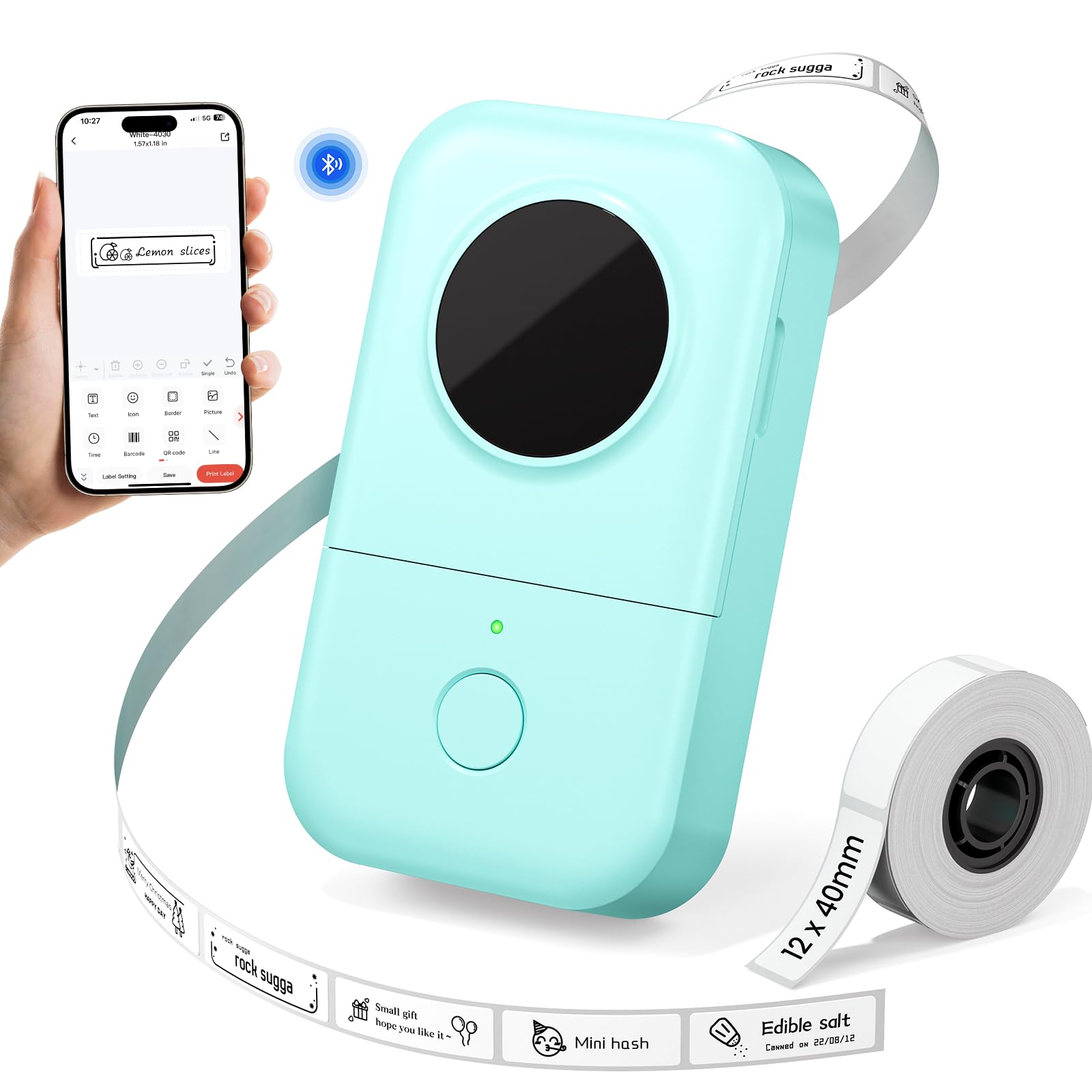
1,000+ ratings
Read Amazon ReviewsPhomemo D30 Label Maker
A compact, app-based label maker for people organizing household containers, school supplies, folders, and other small items.
- Bluetooth connection supports label creation from a mobile device.
- The product information specifies the Print Master app for designing and printing labels.
- Design tools include more than 1,000 symbols, 120 fonts, 60 frames, and 60 borders.
- Thermal printing operates at a stated resolution of 203 DPI and does not require ink, toner, or ribbons.

Pros
- Compact and light enough to keep handy for labeling as tasks come up.
- A broad collection of app design elements supports more than plain text labels.
Consider before buying
- Label creation depends on using a smartphone app and the specified Print Master app.
- The listed tape widths are for compact labels, so check that they fit the size and layout of your intended use.
Read the full review summary
The D30 combines a lightweight body with smartphone-based label design and inkless thermal printing.
Its listed tape widths run from 6 to 15 mm, while the Print Master app offers a large set of fonts, symbols, frames, and borders for tailoring labels to jars, storage boxes, school supplies, and folders.
It makes the most sense for someone who wants occasional or ongoing small-label organization without keeping a full-size printer on a desk.
The tradeoffs are a phone-first workflow, monochrome thermal output, and a tape-width range aimed at compact labels rather than larger shipping formats.
Buyers should also consider the adhesive's potential to leave residue and verify tape compatibility for the labels they plan to make.
The buying factors
Phomemo D30 Scorecard
Editorial scores reflect listed features and buyer fit; they are not laboratory measurements or customer ratings.
Everyday organization
The described use cases cover household containers, school supplies, and office folders, which align well with common small-label tasks.
Design flexibility
More than 1,000 symbols, 120 fonts, 60 frames, and 60 borders give substantial room to customize labels.
Portability
At 0.35 pounds, it is designed to be easy to carry and store between labeling sessions.
Label size range
Support for 6, 12, 14, and 15 mm tape offers useful variety within a compact-label format.
Print practicality
Thermal printing avoids ink, toner, and ribbons, and 203 DPI is specified for the output.
Adhesive flexibility
The described adhesive is strong, but the product information notes it can leave residue, which may matter on surfaces that need frequent relabeling.
Setup clarity
Printing relies on the Print Master app; buyers should use that app rather than the similarly named Phomemo app.
Key Features and Specifications of Phomemo D30
- Bluetooth connection supports label creation from a mobile device.
- The product information specifies the Print Master app for designing and printing labels.
- Design tools include more than 1,000 symbols, 120 fonts, 60 frames, and 60 borders.
- Thermal printing operates at a stated resolution of 203 DPI and does not require ink, toner, or ribbons.
- Compatible tape widths are listed as 6 mm, 12 mm, 14 mm, and 15 mm.
- A 1200 mAh rechargeable battery and Micro USB charging port power the printer.
- The unit weighs 0.35 pounds and is intended to be easy to carry.
Pros and Cons of Phomemo D30
Pros
- Compact and light enough to keep handy for labeling as tasks come up.
- A broad collection of app design elements supports more than plain text labels.
- Thermal printing avoids routine ink, toner, and ribbon purchases.
- Several narrow tape widths suit small containers, supplies, and filing labels.
Consider before buying
- Label creation depends on using a smartphone app and the specified Print Master app.
- The listed tape widths are for compact labels, so check that they fit the size and layout of your intended use.
- The adhesive may leave residue, which could be inconvenient if you regularly remove or replace labels.
- The description identifies thermal printing but does not describe color output; buyers seeking colored text should check the output needs before choosing.
Who Should Buy Phomemo D30?
Good fit
Consider the Phomemo D30 if you want a small label maker for sorting pantry jars, storage boxes, school belongings, or office folders.
Its light weight and Bluetooth workflow make it suitable for moving between rooms or keeping in a drawer until needed, while the assortment of design tools can help distinguish labels by style or content.
It is also a reasonable fit if you prefer reusable design templates over handwriting labels and want to print without stocking ink or toner.
Before buying, check that 6, 12, 14, or 15 mm tape will work for your target surfaces, that the Print Master app fits your phone workflow, and that residue from adhesive labels is acceptable for those surfaces.
Who should skip it
Skip this format if you need broad labels for parcels, large bins, or prominent signage; its listed tape widths are narrow and geared toward smaller labeling jobs.
Look elsewhere if your routine depends on designing from a computer, requires a different charging connection, or needs labels that can be removed without residue. Confirm those workflow and surface requirements before settling on a compact Bluetooth model.
What the Phomemo D30 Label Maker Means for Everyday Organization
A phone-first design workflow
The D30 pairs Bluetooth printing with the Print Master app, so label composition happens on a mobile device.
The library of symbols, fonts, frames, and borders gives room to build labels beyond a simple name or date, but the app is part of the product's everyday workflow.
Buyers should make sure they are comfortable creating and selecting designs on a phone, and note the instruction to use Print Master rather than the Phomemo app.
Small tape widths shape the best uses
The four listed tape widths range from 6 to 15 mm, pointing toward concise labels for containers, school items, and folders. That range should work best when the label needs a short identifier or a compact design.
If a task calls for longer text, a larger type size, or a label that needs to stand out across a room, measure the available space and consider how much content must fit before choosing.
Thermal printing keeps supplies simple
Direct thermal output avoids ink, toner, and ribbons, which removes those consumables from the routine. The specified 203 DPI provides a useful resolution reference, though the description does not state measured print speed or output longevity.
For labels that need to remain legible over time or face a particular environment, consider the surface and conditions before printing a large batch.
Portability and adhesion involve practical tradeoffs
The 0.35-pound body and rechargeable battery make the D30 easier to carry than a desk-bound labeling setup. Its adhesive is described as strong, with the caveat that it can leave residue.
That may be acceptable for permanent organization on storage boxes, but for temporary labels or delicate finishes, test a label on an unobtrusive area first.
Alternatives to Phomemo D30
Desktop Label Printers alternative

14,000+ ratings
Read Amazon ReviewsNIIMBOT D110 Label Maker
Choose the D30 if its described design library and tape-width options match your small-label projects. Consider the D110 if batch printing or the specified Type-C charging connection matters more, and verify its mobile-only workflow fits your needs.
- The NIIMBOT D110 uses the NIIMBOT app, supports batch printing, and specifies a Type-C charging cord.
- Its data describes waterproof and oil-proof refill labels and notes that it does not work with computers.
- The Phomemo D30 offers a wide set of design elements and lists tape widths of 6, 12, 14, and 15 mm, with phone-based Bluetooth printing.
Desktop Label Printers alternative
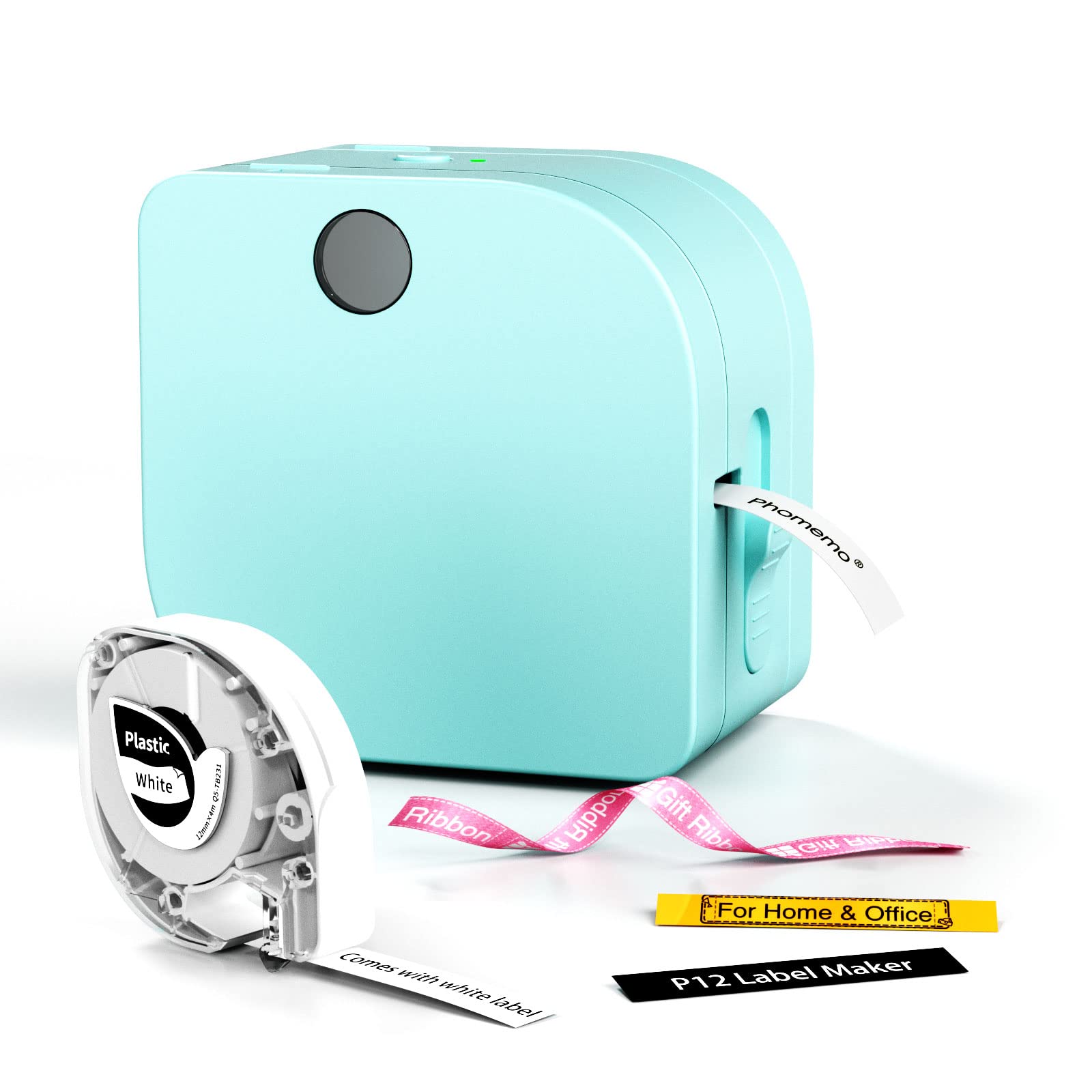
2,000+ ratings
Read Amazon ReviewsPhomemo P12 Label Maker
The D30 is a straightforward fit for portable, everyday small-item labeling.
Consider the P12 if you need its described variety of label materials, built-in cutter, or choice of power methods; check the specific label type against your intended surface and use.
- The Phomemo P12 supports thermal and thermal-transfer label types, includes a built-in cutter, and can run from a USB-C cable or six AAA batteries.
- Its description lists options including iron-on labels and labels intended for outdoor or dishwasher use.
- The Phomemo D30 is a rechargeable Bluetooth model for compact labels, with a Micro USB port and four listed tape widths.
Is Phomemo D30 Worth It?
The Phomemo D30 is worth considering for home, school, and office organization when you want a lightweight printer for compact labels and prefer designing them on a phone.
Its thermal printing and extensive design library make it versatile for everyday sorting, from jars to folders.
Check the narrow tape widths, app-based workflow, Micro USB charging, and potential adhesive residue against your routine before choosing it. If those details fit, the D30 offers a practical way to make small labels without ink or toner.
Your review at a glance
1,000+ ratings
Read Amazon ReviewsPhomemo D30 Label Maker
A compact, app-based label maker for people organizing household containers, school supplies, folders, and other small items.
- Bluetooth connection supports label creation from a mobile device.
- The product information specifies the Print Master app for designing and printing labels.
- Design tools include more than 1,000 symbols, 120 fonts, 60 frames, and 60 borders.
- Thermal printing operates at a stated resolution of 203 DPI and does not require ink, toner, or ribbons.