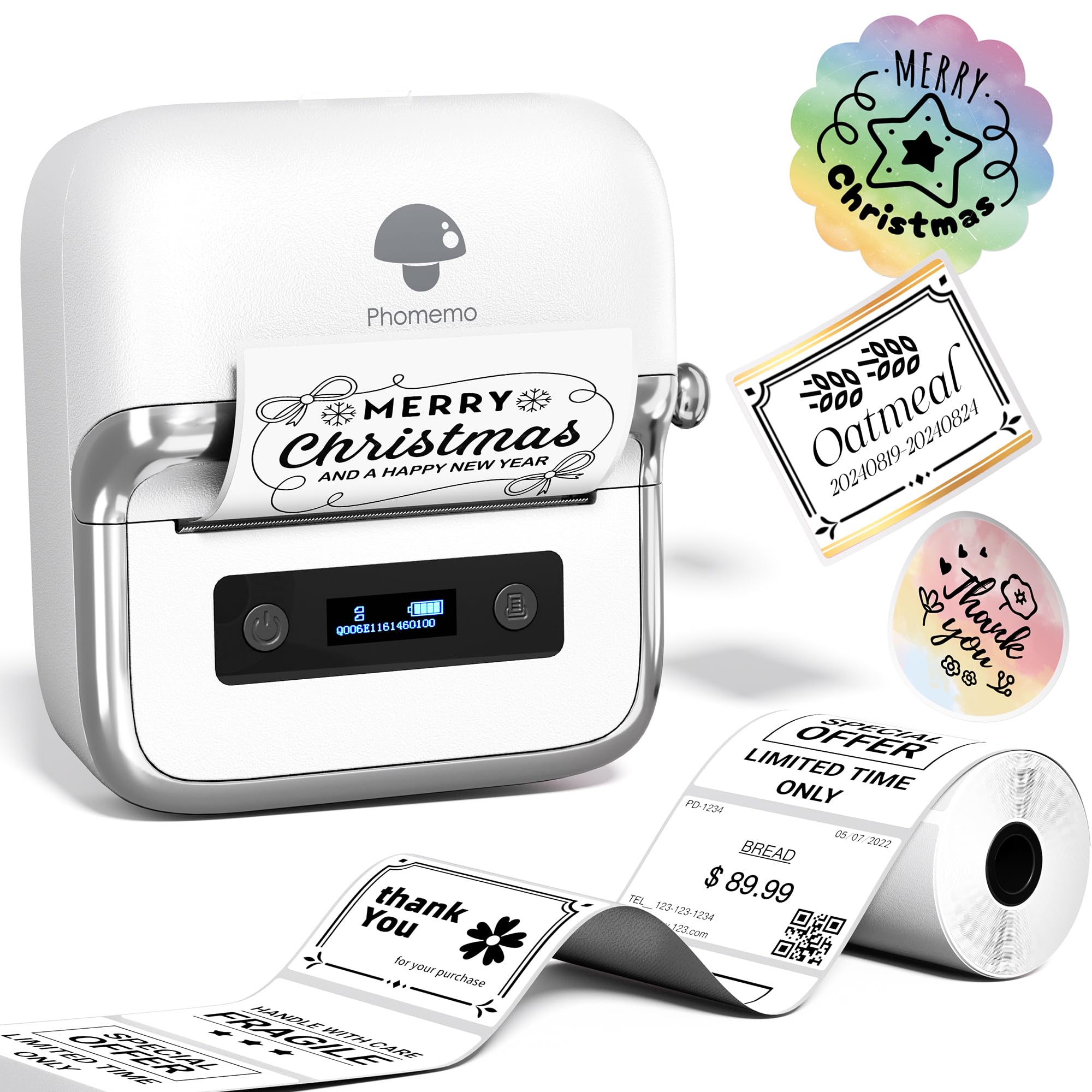
The Phomemo M250 Label Maker Machine review looks at a compact thermal printer designed for wider labels and flexible phone or computer workflows.
Its broad template and content options make it worth considering for home organization and small business labeling, though it cannot print standard 4-by-6-inch shipping labels.
Phomemo M250 Review Summary
The quick verdict
700+ ratings
Read Amazon ReviewsPhomemo M250
A portable, app-driven label printer for home organizers and small businesses making varied labels, barcodes, and QR codes.
- Prints on labels from 0.78 to 3.14 inches wide; 4-by-6-inch labels are not supported.
- A 2,200mAh rechargeable battery is specified for up to 5,000 labels per charge, with sleep mode after five minutes of inactivity.
- Print speed is listed as 30 to 50mm per second.
- The Print Master app supports text, QR codes, images, OCR, voice recognition, and batch printing.

Pros
- A relatively wide supported label range for organizing, product identification, and address tasks.
- A rich set of app tools for creating labels with different content types and layouts.
Consider before buying
- It cannot print 4-by-6-inch shipping labels, so buyers with that common parcel format need another type of printer.
- Computer printing requires a USB connection, driver, and Labelife software; mobile printing uses the Print Master app over Bluetooth.
Read the full review summary
The M250 combines a 0.78-to-3.14-inch printing width with tools for text, images, OCR, QR codes, barcodes, and batch printing.
Its Print Master app offers extensive design choices, while USB computer support gives it a role beyond a phone-only label maker.
Its 2,200mAh battery is described as printing up to 5,000 labels per charge, and the printer weighs 390g.
That combination suits people who want to create product, address, cable, jar, or food labels across home and small business tasks.
The key limitation is size: the M250 does not support 4-by-6-inch labels, so it is not the right fit for standard parcel labels.
The buying factors
Phomemo M250 Scorecard
Editorial scores reflect listed features and buyer fit; they are not laboratory measurements or customer ratings.
Label width flexibility
The supported range spans 0.78 to 3.14 inches, giving buyers room for both compact identification labels and wider formats.
Design and content tools
The app supports varied content types and offers more than 1,500 symbols, 200 templates, 110 fonts, and 20 languages.
Batch labeling
Batch printing is included, a useful feature when preparing repeated labels for inventory, mail, or organized storage.
Portability
At 390g, the printer is light enough to carry in a bag, and Bluetooth supports mobile use.
Battery capacity
The stated capacity is 2,200mAh with up to 5,000 labels per charge, although actual output will depend on use.
Computer compatibility
It supports Windows 7 or later and macOS over USB, alongside Android and iOS mobile devices.
Shipping label suitability
It can make address labels, but it does not support 4-by-6-inch labels used for many standard shipping workflows.
Key Features and Specifications of Phomemo M250
- Prints on labels from 0.78 to 3.14 inches wide; 4-by-6-inch labels are not supported.
- A 2,200mAh rechargeable battery is specified for up to 5,000 labels per charge, with sleep mode after five minutes of inactivity.
- Print speed is listed as 30 to 50mm per second.
- The Print Master app supports text, QR codes, images, OCR, voice recognition, and batch printing.
- The app includes more than 1,500 symbols, 200 templates, 110 fonts, and 20 languages.
- Bluetooth connects phones and tablets; Windows 7 or later and macOS computers connect by USB using a driver and Labelife app.
Pros and Cons of Phomemo M250
Pros
- A relatively wide supported label range for organizing, product identification, and address tasks.
- A rich set of app tools for creating labels with different content types and layouts.
- Batch printing can help when many labels need to share a design.
- Portable size and Bluetooth support make it practical to use away from a desk.
Consider before buying
- It cannot print 4-by-6-inch shipping labels, so buyers with that common parcel format need another type of printer.
- Computer printing requires a USB connection, driver, and Labelife software; mobile printing uses the Print Master app over Bluetooth.
- The 30-to-50mm-per-second speed may be a consideration for buyers planning frequent, high-volume printing.
Who Should Buy Phomemo M250?
Good fit
Consider the M250 if your labeling spans home organization and small business needs, and you want more width than a compact tape-only labeler offers.
Its supported range can accommodate tasks such as jar, food, cable, name, and product labeling, while the app adds barcode and QR code creation for inventory or identification workflows.
It is especially appealing if you expect to prepare repeated labels: batch printing can reduce repetitive setup, and the app's templates and content tools give you options beyond plain text.
The stated battery capacity and portable 390g build also make it easier to move between a work surface and storage areas.
Before choosing it, confirm that your existing label stock or planned label sizes fall within 0.78 to 3.14 inches, and that your workflow can use the appropriate connection: Bluetooth through Print Master on phones and tablets, or USB with the driver and Labelife on a computer.
Who should skip it
Skip the M250 if your main need is standard 4-by-6-inch parcel labels. The printer explicitly does not support that format, so check the width and format required by your shipping service before buying.
It may also be a poor fit if you need a standalone printer with a physical keyboard or a high-volume desktop shipping setup; the described workflow depends on an app or computer software, and the listed printing speed is 30 to 50mm per second.
What the Phomemo M250 Means for Everyday Labeling
A wider format expands its uses
The 0.78-to-3.14-inch width range is the M250's defining practical choice. It leaves room for more than narrow name or cable labels, with enough width for many address and product-label layouts.
Buyers should match their intended label roll dimensions to that range before purchasing; the printer's width does not make it a 4-by-6 shipping label machine.
An app built for more than text
Print Master supports text, QR codes, images, OCR, voice recognition, and batch printing, alongside a substantial collection of symbols, templates, fonts, and languages.
That matters when labels need to carry structured or visual information, such as a code or a translated label. The abundance of options may be unnecessary for someone who only prints a few plain storage labels.
Mobile convenience with a computer path
Bluetooth printing from Android, iOS, or iPad devices makes the M250 useful when the design is created near the items being labeled.
Computer use is also supported on macOS and Windows 7 or later, but it relies on USB plus a driver and Labelife. Buyers should plan around these connection methods and install the relevant software for their preferred device.
Battery claims suit intermittent tasks
A 2,200mAh battery, automatic sleep after five idle minutes, and a claim of up to 5,000 labels per charge point toward portable, repeated use without constant access to power.
The upper limit is not a guarantee for every design or printing pattern, so frequent users should treat it as a planning estimate and consider how often they expect to recharge.
Alternatives to Phomemo M250
Desktop Label Printers alternative

700+ ratings
Read Amazon ReviewsPhomemo M220
Compare the M220 if included label rolls and its stated roll-based battery measure better match your planning.
The M250's description gives a label-count estimate and a more detailed set of app options; both models rule out 4-by-6 shipping labels.
- The M220 also supports 0.78-to-3.14-inch labels, but its description emphasizes up to 36 rolls of continuous printing and includes three rolls in the package.
- It supports Bluetooth on phones and tablets and USB on computers, with Linux excluded.
- The M250 offers the same listed 0.78-to-3.14-inch width range, batch printing, and app-based QR and barcode tools, with a stated battery output of up to 5,000 labels per charge.
Battery-focused alternative

14,000+ ratings
Read Amazon ReviewsNIIMBOT D110
Choose the D110 if your work is centered on phone-based home or school organization and you do not need computer printing.
The M250 is the more fitting option when you need wider labels, computer connectivity, or its broader stated content tools.
- The D110 is a smaller-format household label maker with a rechargeable battery and support for iOS and Android through the NIIMBOT app.
- Its description says it does not work with computers and supports a range of label types and sizes.
- The M250 supports wider labels up to 3.14 inches and computer printing over USB, in addition to mobile Bluetooth use.
Is Phomemo M250 Worth It?
The Phomemo M250 is worth considering for home organizers and small businesses that want portable printing, flexible label widths, and an app with batch, barcode, QR code, and image tools.
Its stated battery capacity and broad device support add convenience for varied labeling tasks.
Buy it after checking your label dimensions and workflow: it does not support 4-by-6-inch shipping labels, and computer printing requires USB plus software.
If those constraints match your needs, the M250 offers a versatile mix of mobile design tools and wider-format labeling.
Your review at a glance
700+ ratings
Read Amazon ReviewsPhomemo M250
A portable, app-driven label printer for home organizers and small businesses making varied labels, barcodes, and QR codes.
- Prints on labels from 0.78 to 3.14 inches wide; 4-by-6-inch labels are not supported.
- A 2,200mAh rechargeable battery is specified for up to 5,000 labels per charge, with sleep mode after five minutes of inactivity.
- Print speed is listed as 30 to 50mm per second.
- The Print Master app supports text, QR codes, images, OCR, voice recognition, and batch printing.